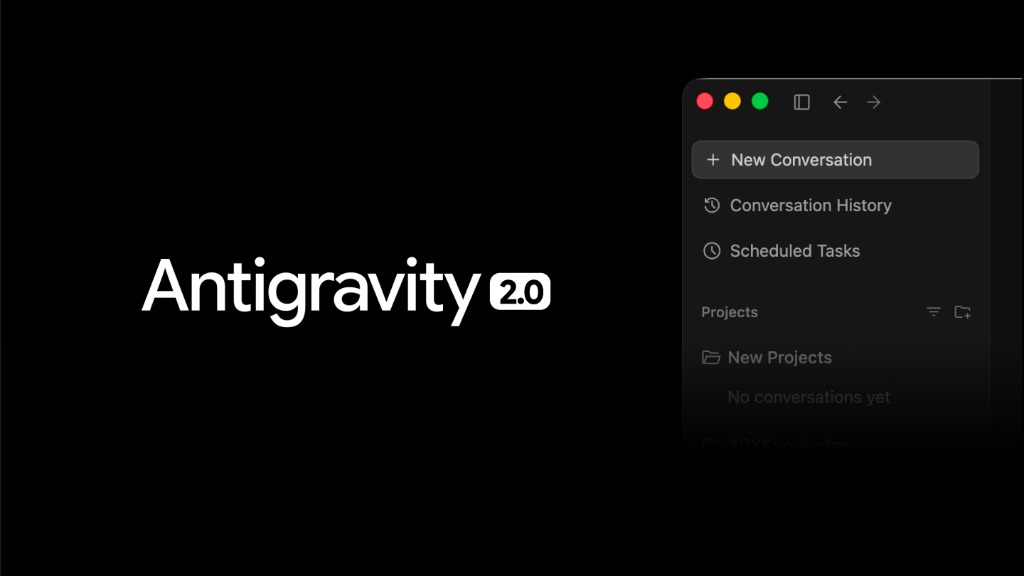
The first time I opened Antigravity, I did what you probably did: I treated it like Cursor with another logo. I asked for something, watched it write code, corrected it, and repeated. It worked. But I wasn't getting anything out of it that any other AI editor wouldn't already give me.
The change came when I stopped thinking of Antigravity as an editor and started thinking of it as what Google wants it to be: an agent coordination layer. This isn't just a marketing detail. It completely changes what kind of work you delegate to it and, above all, how much of your own criteria you need to put in writing before delegating.
After several weeks of using it on real projects—some at Venturest, others for testing—these are the use cases that actually move the needle, how to configure rules so the agent works in your favor, and the ecosystem of skills and workflows that almost no one is leveraging yet.
What Is Antigravity (and Why the Distinction Matters)
Antigravity is Google's agentic development platform, launched in November 2025 alongside Gemini 3. Technically, the editor is a fork of VS Code, so the environment will feel familiar from the very first minute. But getting stuck on "it's an IDE" misses the point.
The platform has two surfaces. The Editor View is the usual IDE with AI on top: autocomplete, natural language commands, everything you already know. The Manager Surface is where the leap happens: a dedicated interface to launch, orchestrate, and monitor multiple agents working in parallel, asynchronously, across different workspaces.
That is the underlying idea. You go from "chatting with AI in a window" to "assigning missions to a team and reviewing results." And as anyone who has managed an engineering team knows, this introduces an old problem with a new face: if you don't code your standards, each agent will improvise their own.
A note on models: Antigravity is free in preview for individuals and lets you choose your model, with Gemini 3.1 Pro as the default but also supporting Gemini 3.5 Flash, Claude Sonnet 4.6 and open models. Model choice is more useful than it seems: not all perform the same depending on the task.
The Use Cases That Actually Change Your Flow
1. Delegate Tasks End-to-End, Not Snippets
The most common mistake is to keep asking for snippets: "write me this function," "fix this bug." Antigravity is designed for complete missions. The agent can plan and execute a task spanning the editor, terminal, and browser: it writes the code for a feature, spins up the application from the terminal, opens the browser to test that the component works, and verifies it. All without you being there for every step.
My rule of thumb: if the task fits in a goal-oriented sentence ("implement email login and verify that the complete flow works"), it's a candidate for delegation. If you need to micro-manage every decision, you're better off staying in the Editor View.
2. Parallel Agents: The Team That Doesn't Interrupt
The Manager Surface allows you to launch multiple agents in different workspaces at the same time. This is where I stopped thinking about "a conversation" and started thinking about "concurrent tasks."
The pattern that has helped me the most: a "junior" agent handling tedious refactoring or updating dependencies in the background, while another agent works with me on complex logic. You don't stop your main flow to address the boring stuff. Mind you—and I say this from experience—Git branching support is not yet mature. If you put multiple agents to work on the same large repo without discipline, you're taking a risk. Separate workspaces and frequent commits are not optional here.
3. Browser-in-the-loop: Real Verification
This is probably the feature that sets Antigravity apart the most. The agent spins up a real instance of Chrome (the Browser Subagent) and uses the application as it builds it: clicks buttons, fills out forms, takes screenshots. If something doesn't work, it sees it, debugs it, and fixes it without you having to open DevTools.
It closes the loop between writing code and validating it. For web development, this alone justifies giving it a try.
4. Artifacts and Walkthroughs: Review Without Reading Logs
Instead of scrolling through tool call logs, the agents produce Artifacts: readable deliverables like implementation plans, task lists, screenshots, and recordings of browser sessions. And when finished, they generate a Walkthrough: a summary of what changed, what files were touched, and why certain patterns were chosen, with screenshots of the app working.
It sounds like an aesthetic detail. It isn't. It is what makes reviewing an agent's work feasible. You have visual proof that the feature works before you dive into the syntax. For anyone who reviews code for a team—human or agentic—that is gold.
A final workflow tip: use Plan mode for complex tasks (generates a plan you approve before action) and Fast mode for quick fixes. Approving the plan before the agent starts makes the difference between correcting course in one minute or cleaning up the mess in three hours.
Rules: This Is Where You Code Your Criteria
Antigravity models are powerful generalists, but they don't know your project or your team's standards. **Rules** are the mechanism to fix that. And understanding their hierarchy is what separates a good setup from fighting with an agent that constantly makes decisions you don't want.
- System rules: immutable guidelines from Google DeepMind. They define identity, security protocols, and base capabilities. You don't touch them.
- Global rules: your personal preferences, applied to all projects. They live in your home directory, in
~/.gemini/GEMINI.md(and~/.gemini/AGENTS.mdfor the cross-tool standard). Ideal for things like "always use TypeScript" or the language of responses. - Workspace rules: the standards of the current project. They live inside the repo, in
GEMINI.md,AGENTS.md, or in the.agent/rules/folder. Here you put team standards: "we use Next.js App Router," commit conventions, folder structure.
The interesting thing about the latest wave is AGENTS.md, a cross-tool standard shared by Antigravity, Claude, Cursor, and others. The advantage is real: you write your rules once and reuse them across tools, instead of maintaining a different file for each vendor. If you're investing time in this, bet on AGENTS.md rather than the proprietary format.
Configuring them is simple: in the Agent Manager, the three dots (•••) at the top right → Customizations → Rules tab → + Global or + Workspace. And they are written in natural language, without weird syntax. A real example of a style rule:
# Python Style Rule

Always use PEP 8 standards.
When refactoring, assume we format with `black`.
Keep dependencies to open-source and free libraries.
Skills and Workflows: The Rest of the Ecosystem
Rules are not the only thing. There are two more pieces, and confusion between them is common. The distinction that works best for me:
A rule is a base constraint: how the agent behaves and how it adapts to your stack and style.
A skill is a reusable package of knowledge that teaches the agent how to solve a specific task. It is a folder with a SKILL.md file (and optionally scripts/, examples/, resources/). The beauty lies in the progressive disclosure: the skill sleeps until the agent, reading only its description, decides it is relevant to what you have requested. This way, you don't clutter the context with irrelevant instructions.
The most important field of a skill is the description: write it in the third person and with clear keywords, because it is literally what the agent uses to decide when to activate it. Something like: "Generates unit tests for Python code following pytest conventions."
Skills have global scope (currently in ~/.gemini/config/skills/) or workspace scope (<project>/.agents/skills/). And they follow the open Agent Skills standard, which is also shared by other tools: you write the skill once and use it across harnesses, without rewriting the same capability for each provider.
A workflow is the orchestrator. It is invoked as a slash command (/deploy, /startcycle) and guides the agent through a well-structured multi-step plan. This is what allows you to automate repetitive tasks without losing precision—chaining, for example, "review code → generate tests → audit → deploy" in a single command.
Rule, skill, workflow. Constraint, knowledge, orchestration. When you combine all three, you stop having a generic programmer and start having a specialist that follows your rules, knows how to do your tasks, and executes your processes.
Best Practices (Some Learned the Hard Way)
What I wish someone had told me sooner:
- Focused, goal-oriented prompts. One clear mission per task. Do not mix unrelated things in the same prompt: you confuse the agent and worsen the plan.
- One folder or workspace per task. Isolate contexts. This is the best defense against one agent overwriting another's work.
- Review the plan before approving. For large tasks, Plan mode is not bureaucracy: it is your checkpoint.
- Incremental commits from minute zero. Make an initial commit before the first prompt and let the agent commit in stages. If it hallucinates a file structure or breaks a dependency, reverting is a matter of seconds. With branching still immature, this is non-negotiable.
- Watch out for prompt injection. This is a real risk for agentic IDEs: an attacker can hide instructions in a README or in comments to make the agent leak data. Review autogenerated comments looking for suspicious outbound URLs, and disable Markdown image rendering in preview panels if you don't need it.
- Keep skills atomic and well-named. It is tempting to make a mega-skill that does everything. Don't. Skills proliferate quickly and, if they overlap, the model chooses poorly. Scoped and specific beats a blob that does everything every time.
The Underlying Shift
A few months ago I wrote that you don't need your own AI, you need to use it well. Antigravity is the perfect case study of that idea.
The tool is free and powerful. But its value is not in writing code faster—others already did that. It lies in forcing you to make explicit what usually lives only in your head: your standards, your way of doing things, your processes. Rules, skills, and workflows are not configuration features. They are the exercise of coding your criteria so that a team of agents follows it without you being present.
And there is the uncomfortable and interesting part at the same time: the competitive advantage of the developer coding with agents is no longer how fast they type. It is how well they know how to delegate. Which is, by the way, exactly the same skill that separates a good tech lead from a good senior developer.
Have you already put your criteria in writing, or do you continue correcting the agent one by one every time?